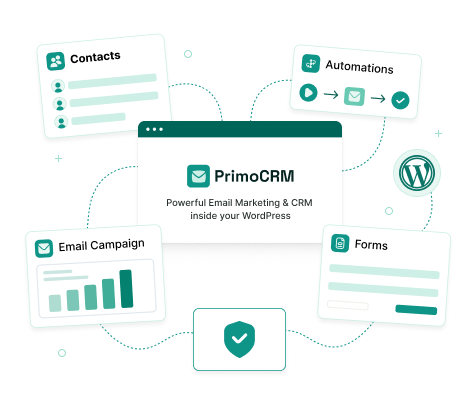
A MailPoet Alternative with No Subscriber Limit
Both are WordPress plugins. MailPoet’s free plan covers up to 500 subscribers through its own sending service, and sending from your own SMTP needs a paid plan priced by subscribers. PrimoCRM’s free version has no contact limit and sends through your own SMTP or email provider from day one.
At a Glance
MailPoet vs PrimoCRM
MailPoet details are from mailpoet.com and its knowledge base in October 2026; check there for current plans.
| Compare | MailPoet | PrimoCRM |
|---|---|---|
| Runs inside WordPress | Yes | Yes |
| Free plan | Up to 500 subscribers | Unlimited contacts |
| Send through your own SMTP or provider | Paid Creator plan | Free |
| What sets the price | Number of subscribers | Number of sites |
| How paid plans are billed | Subscription | Pro: one-time payment from $79 |
| Import your MailPoet subscribers | – | CSV import with Undo |
Switching
Bring Your Subscribers Across
Export your subscribers from MailPoet as CSV, then open Contacts and Import in PrimoCRM. Both plugins can stay installed while you set things up.
Free Plugin
A Complete CRM Before You Pay
The free plugin has no contact caps, no locked screens and no trial period. Pro adds features on top; it never unlocks limits on what you already have.
WooCommerce
Built for Store Owners Too
If you run WooCommerce, PrimoCRM turns orders into CRM data and automations, with more in Pro.
QUESTIONS
Switching from
MailPoet
What you need, what moves across,
and what it costs.
How do I send email with PrimoCRM?
Through an SMTP server or email service provider that you connect, such as Amazon SES, Brevo or your host’s mail server. Many have free or low-cost tiers, and you pay them for what you send, not for how many contacts you keep. That works in the free plugin, with no subscriber limit.
Will my unsubscribed subscribers stay unsubscribed?
Yes, if you import them that way. Import them with New Contact Status set to Unsubscribed, or map a status column, and PrimoCRM will never email them.
Do my newsletters and automations move across?
No. The import brings your audience. Email designs and automations are rebuilt in PrimoCRM, where campaigns are designed in the WordPress block editor and automations on a drag-and-drop canvas.
What does PrimoCRM cost?
The plugin is free on WordPress.org with unlimited contacts. Pro is a one-time payment from $79 with lifetime updates. Your email provider charges for sending on its own terms.
Grow Past 500, Free
Install the free plugin from WordPress.org, import your MailPoet subscribers, and send through your own provider with no subscriber limit. Pro is there when you want it, for one payment.
 No subscriber limit in the free plugin
- Your own SMTP or email provider
- 30-day money-back guarantee on Pro
- CSV import with Undo